
HexLuthor
Lean 4 hex color syntax with inline VS Code/Cursor visualization.
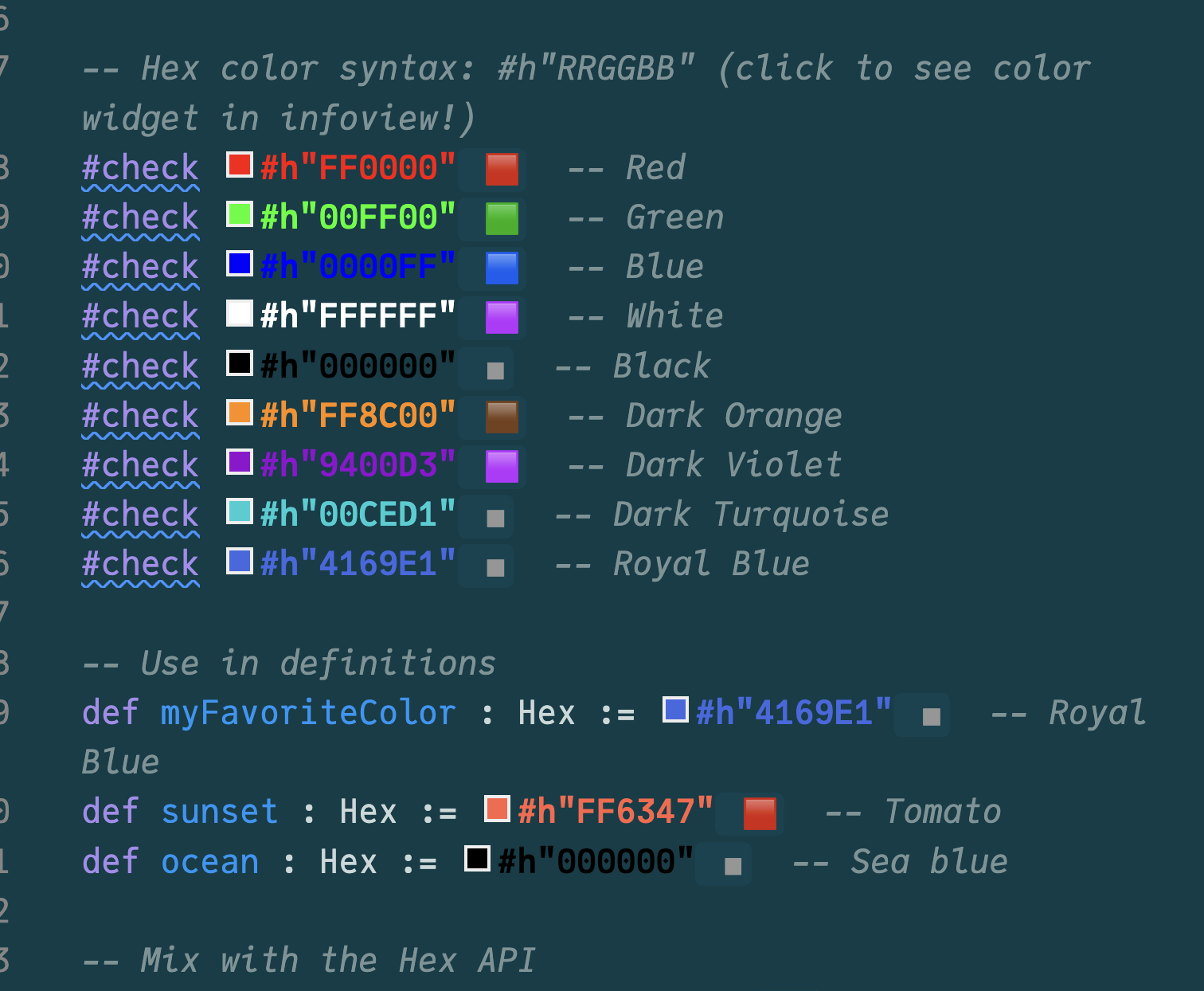
Features
- Custom
#xRRGGBBsyntax - Semantic text coloring - hex literals render in their actual color
- Interactive color picker - click the color swatch to open a full palette, pick a new color, and it updates your code automatically (2-way sync!)
- Infoview widgets - color preview with swatch and name in the Lean infoview panel
- Human-friendly color names - CSS standard names, closest match for non-exact colors
Usage
import HexLuthor

open HexLuthor

#check #xFF0000  -- Red
#check #x4169E1  -- RoyalBlue

def myColor : Hex := #x00CED1  -- DarkTurquoise
Import Options
| Import | What you get |
|---|---|
import HexLuthor | Everything (recommended) |
import HexLuthor.Widget | Syntax + elaborator + widgets |
import HexLuthor.Syntax | Just syntax declaration |
import HexLuthor.Hex | Core type only (no ProofWidgets) |
Installation
Add to your lakefile.toml:
[[require]]
name = "HexLuthor"
git = "https://github.com/alok/HexLuthor"
rev = "main"
Then lake update.
VS Code / Cursor Extension
For semantic text coloring and the interactive color picker, install the bundled extension:
# VS Code
code --install-extension vscode-hexluthor/hexluthor-colors-*.vsix

# Cursor
cursor --install-extension vscode-hexluthor/hexluthor-colors-*.vsix
The extension provides:
- Text colored as the actual hex color
- Clickable color swatches that open a full color picker
- 2-way sync: pick a color visually and your code updates
License
Apache 2.0